srs-video-streaming
Video source must be h264 encoded for max compatibility. Set the camera to encode h264 at source so transcoding can be avoided later.
Step: 1 Docker Compose
# Filename: docker-compose.yaml

name: live-example-com

services:
  srs:
    image: ossrs/srs:v5
    container_name: srs.example.com
	restart: always

    ports:
      - 1935:1935    # rtmp video streaming
      - 8000:8000    # srs rtc server for whep

    environment:
      - CANDIDATE=10.1.2.216
      - SRS_RTC_SERVER_TCP_ENABLED=on
      - SRS_RTC_SERVER_PROTOCOL=tcp
      - SRS_RTC_SERVER_TCP_LISTEN=8000

  live:
    image: nginx:latest
    container_name: live.example.com
    restart: always

    volumes:
      - ./html:/usr/share/nginx/html:ro
      - ./conf.d/nginx.conf:/etc/nginx/nginx.conf:ro

    labels:
      - com.centurylinklabs.watchtower.enable=true
      - traefik.enable=true
      - traefik.http.routers.live.rule=Host(`live.example.com`)
      - traefik.http.routers.live.tls=true
      - traefik.http.routers.live.tls.certresolver=lets-encrypt

    depends_on:
      - srs
Step: 1.2 Nginx configuration
# Filename: /srv/live.example.com/conf.d/nginx.conf

events {
  worker_connections 1024;
}


http {
  server {
    listen 80;

    include /etc/nginx/mime.types;

    location / {

      root /usr/share/nginx/html;
      index index.html;

      try_files $uri /index.html;
      add_header 'Access-Control-Allow-Origin' '*';

    }

    location /rtc {
      proxy_pass http://srs:1985;
      proxy_http_version 1.1;

      proxy_set_header Host $host;
      proxy_set_header X-Real-IP $remote_addr;
      proxy_set_header X-Forwarded-For $proxy_add_x_forwarded_for;

    }

    location ~* \.(flv|m3u8)$ {
      proxy_pass http://srs:8080;
      proxy_http_version 1.1;

      proxy_set_header Host $host;
      proxy_set_header X-Real-IP $remote_addr;
      proxy_set_header X-Forwarded-For $proxy_add_x_forwarded_for;
	}

  }
}
Step: 1.3 FLV and WHEP Video Player
<!-- Filename: /srv/live.example.com/html/index.html -->

<!DOCTYPE html>
<html>
<head>
    <title>Live Video Streaming</title>
    <meta charset="utf-8">
    <style>
        body{
            padding-top: 30px;
        }
    </style>
    <link rel="stylesheet" type="text/css" href="/css/bootstrap.min.css"/>
    <script type="text/javascript" src="/js/jquery-1.12.2.min.js"></script>
    <script type="text/javascript" src="/js/adapter-7.4.0.min.js"></script>
    <script type="text/javascript" src="/js/srs.sdk.js"></script>
    <script type="text/javascript" src="/js/winlin.utility.js"></script>
    <script type="text/javascript" src="/js/srs.page.js"></script>
    <script type="text/javascript" src="/js/mpegts-1.7.3.min.js"></script>
    <script type="text/javascript" src="/js/bootstrap.min.js"></script>
</head>
<body>
<img src='//ossrs.net/gif/v1/sls.gif?site=ossrs.net&path=/player/rtcpublisher'/>
<div class="navbar navbar-fixed-top">
    <div class="navbar-inner">
        <div class="container">
            <a class="brand" href="https://github.com/ossrs/srs" target="_blank">Live Stream Player</a>
            <div class="nav-collapse collapse">
                <ul class="nav">
                    <li><a id="nav_whep" href="#">WHEP</a></li>
                    <li><a id="nav_flv" href="#">HTTP-FLV</a></li>
                </ul>
            </div>
        </div>
    </div>
</div>
<div class="container">
    <div class="form-inline">
        URL:
        <input type="text" id="txt_url" class="input-xxlarge" value="">
    </div>

    <p></p>
    <!-- Container for WebRTC player -->
    <video id="rtc_media_player" controls autoplay></video>

    <p></p>
    <!-- Container for FLV player -->
    <video id="flv_media_player" controls autoplay></video>
</div>

<script type="text/javascript">
    $(document).ready(function() {
        var path = window.location.pathname;
        var parts = path.split('/');
        var url = window.location.protocol + '//' + window.location.hostname;
        var stream_name = parts[parts.length - 2];
        var stream_id = parts[parts.length - 1];

        // Function to start WHEP player
        var startWHEPPlayer = function() {
            $('#rtc_media_player').show();
            $('#flv_media_player').hide();
            var stream_url = '/rtc/v1/whep/?app='+ stream_name + '&stream='+ stream_id;
            console.log(stream_url);
            $('#txt_url').val(url + stream_url);
            var sdk = new SrsRtcWhipWhepAsync();
            $('#rtc_media_player').prop('srcObject', sdk.stream);

            sdk.play(stream_url, {
                videoOnly: $('#ch_videoonly').prop('checked'),
                audioOnly: $('#ch_audioonly').prop('checked'),
            }).then(function(session){
                $('#sessionid').html(session.sessionid);
                $('#simulator-drop').attr('href', session.simulator + '?drop=1&username=' + session.sessionid);
            }).catch(function (reason) {
                sdk.close();
                $('#rtc_media_player').hide();
                console.error(reason);
            });
        };

        // Function to start FLV player
        var startFLVPlayer = function() {
            $('#flv_media_player').show();
            $('#rtc_media_player').hide();
            var stream_url = '/' + stream_name + '/' + stream_id + '.flv';
            $('#txt_url').val(url + stream_url);

            flvPlayer = mpegts.createPlayer({
                type: 'flv',
                url: stream_url,
                isLive: true, enableStashBuffer: false, liveSync: true
            });
            flvPlayer.attachMediaElement(document.getElementById('flv_media_player'));
            flvPlayer.load();
            flvPlayer.play();
        };

        $('#nav_whep').click(function() {
            startWHEPPlayer();
        });

        $('#nav_flv').click(function() {
            startFLVPlayer();
        });

        $('#rtc_media_player').prop('muted', true);

        startWHEPPlayer(); // Start with WHEP player by default
    });
</script>
</body>
</html>
CSS and JS
Add the all css and js files into /srv/live.example.in/html/css and /srv/live.example.in/html/js folder
Step 2: Setup ffmpeg
ffmpeg used for pulling a camera feed over rtsp and forwarding to WHEP player or ffplay with the correct streaming container format.
Input From File for Testing
ffmpeg -re -i test.mp4 -c copy -f flv rtmp://live.example.com/example-stream-name/example-stream-id
Notes
-re: play back file in real time by reading input at native frame rate, eg 1 hour video will play back in 1 hour.-i test.mp4: sample input file for streaming.-c copy: don't transcode the audio/video stream, just copy to output.-f flv: suitable streaming format.rtmp://live.example.com/stream-name/stream-id: srs rtmp server location for sending the output stream.
Input From CCTV Camera
HikVision CCTV cameras provide RTSP stream in the default tcp:554 port and no path is required. Username and password are the same as what is required to access the camera web portal. Ensure the camera is set for h264 encoding.
!#/bin/bash
# Filename: /usr/local/sbin/live-stream-start.sh
# chmod 755 /usr/local/sbin/live-stream-start.sh

# camera IP: c.c.c.c
ffmpeg -re -rtsp_transport tcp -i rtsp://username:password@c.c.c.c -flvflags no_duration_filesize -c copy -f flv rtmp://live.example.com/live/livestream
-rtsp_transport tcp: Specifies the transport protocol to be used for the RTSP connection. In this case, it's set to TCP, which can be more reliable than UDP in certain network conditions.
-flvflags no_duration_filesize: This option is used to set FLV (Flash Video) flags. In this case, it's set to no_duration_filesize, which means FFmpeg will not write duration and filesize to the FLV header.
Notes
- If ffmpeg is segfaulting, use the ubuntu supplied ffmpeg binary (
apt install ffmpeg) and not the static builds from ffmpeg.org.
Step 4: Latency Check
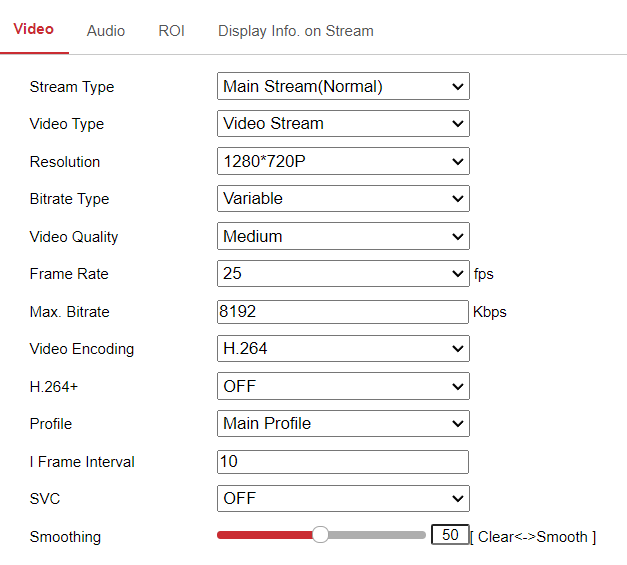
For the HikVision camera model DS-2CD3026G2-IS model as observed with the following configuration.
The CPU utilization is 4% across 4 CPUs, and the memory usage is 0% out of 34MB in a total of 16GB for 6 video streams.
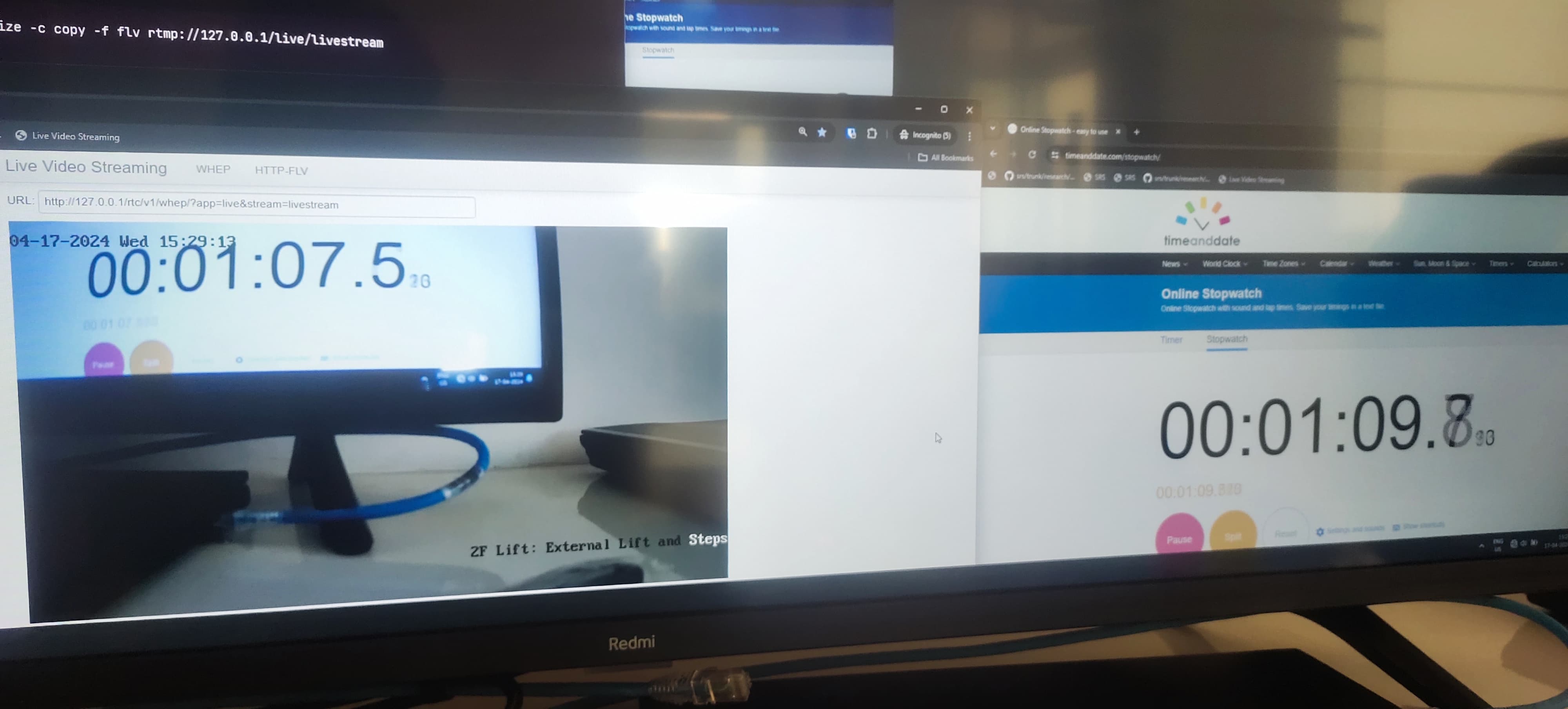
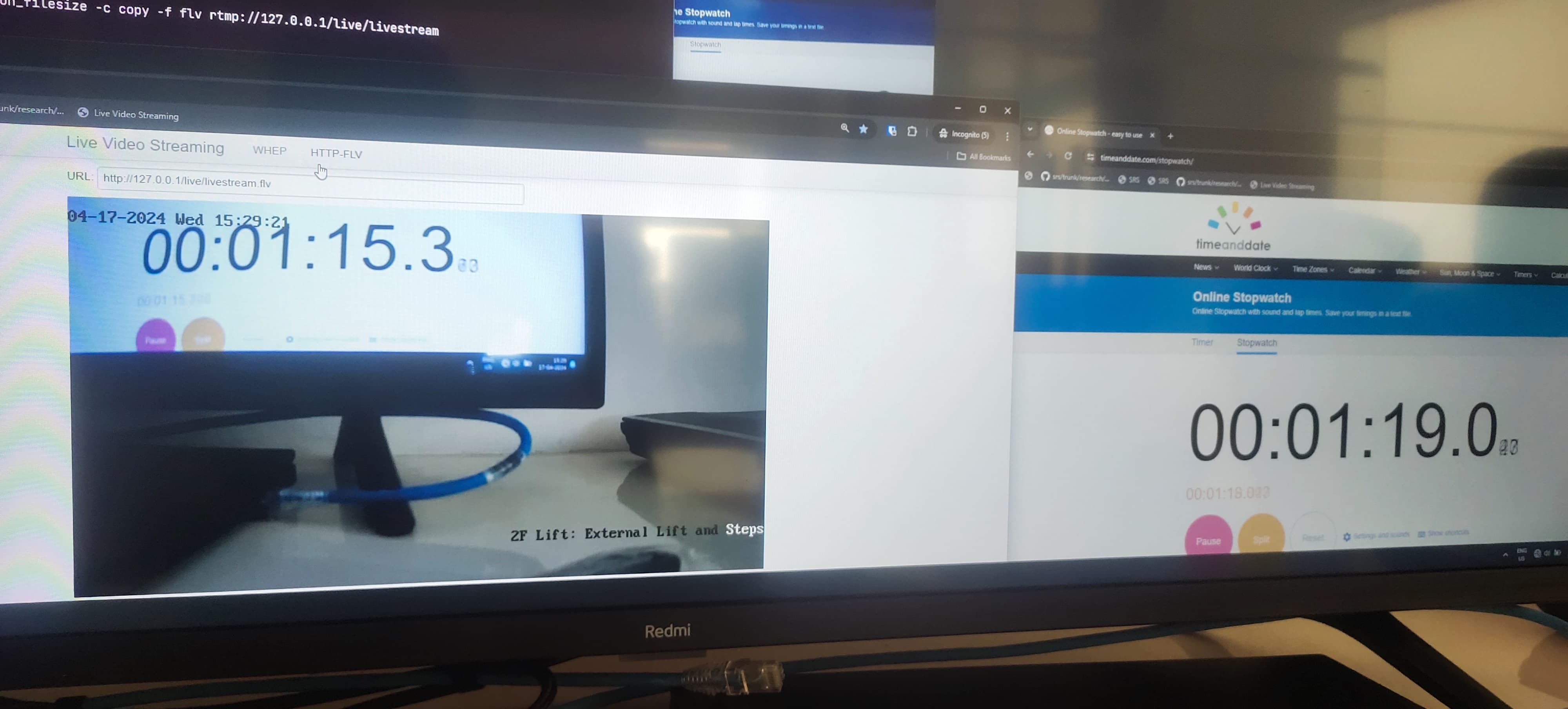
Using HTTP-FLV player we get 4.7 seconds latency
Using WHEP player we get 2.3 seconds latency